 picseal manager
![[PDF Sellers’ Must-Read] Protect Your Earnings from PDF Sharing](https://cdn3.wadiz.kr/studio/images/2026/04/03/ab585ec5-8fc8-470b-b28e-98dcb8cf2c59.jpeg)
🔥 Circulating PDFs, profits keep leaking.
If you are selling PDFs, you have probably experienced this at least once.
Someone buys one,
and at some point, it feels like several people are viewing it together.
This is not a special situation,
but rather a common occurrence in the current PDF sales structure.
📌 Why does this happen?
Once a PDF is downloaded,
it is almost impossible to control it after that.
Who is viewing it, how many people are viewing it,
is hard to check and even harder to prevent.
So, many sellers
accept this as an "inevitable part" of the process.
📌 Even after trying existing methods,
passwords are still shared,
DRM is costly and difficult to implement,
and partially hiding content reduces product value.
👉 In the end, the core issue remains the same.
"It is difficult to manage what happens after delivery."
❗ The problem is not "leakage" but the "structure."
So the approach that emerged isPicSeal.
It's a slightly different perspective,
Instead of treating a PDF as just a file, "Content with conditions" is how we handle it.
✔ Here's how it works:
Even after sending the file,
- You can allow only specific users to view it,
- Set limits on time or number of views,
- Or divide access by group,
These kinds of settings are possible.
👉In other words, it's a structure that continues to control the flow even after delivery.
📌 So what actually changes?
Existing | PicSeal |
One person purchases → Shared and used by multiple people | One person purchases → Only one person can view |
📊 This is a change from the seller's perspective.
- Unauthorized sharing can be reduced.
- You can check who has viewed it.
- If necessary, you can modify the conditions and apply them immediately.
👉 The PDF is not just a simple file,
It becomes a manageable product.
| Partially sealed PDF | When clicked, a release request is made. | After release |
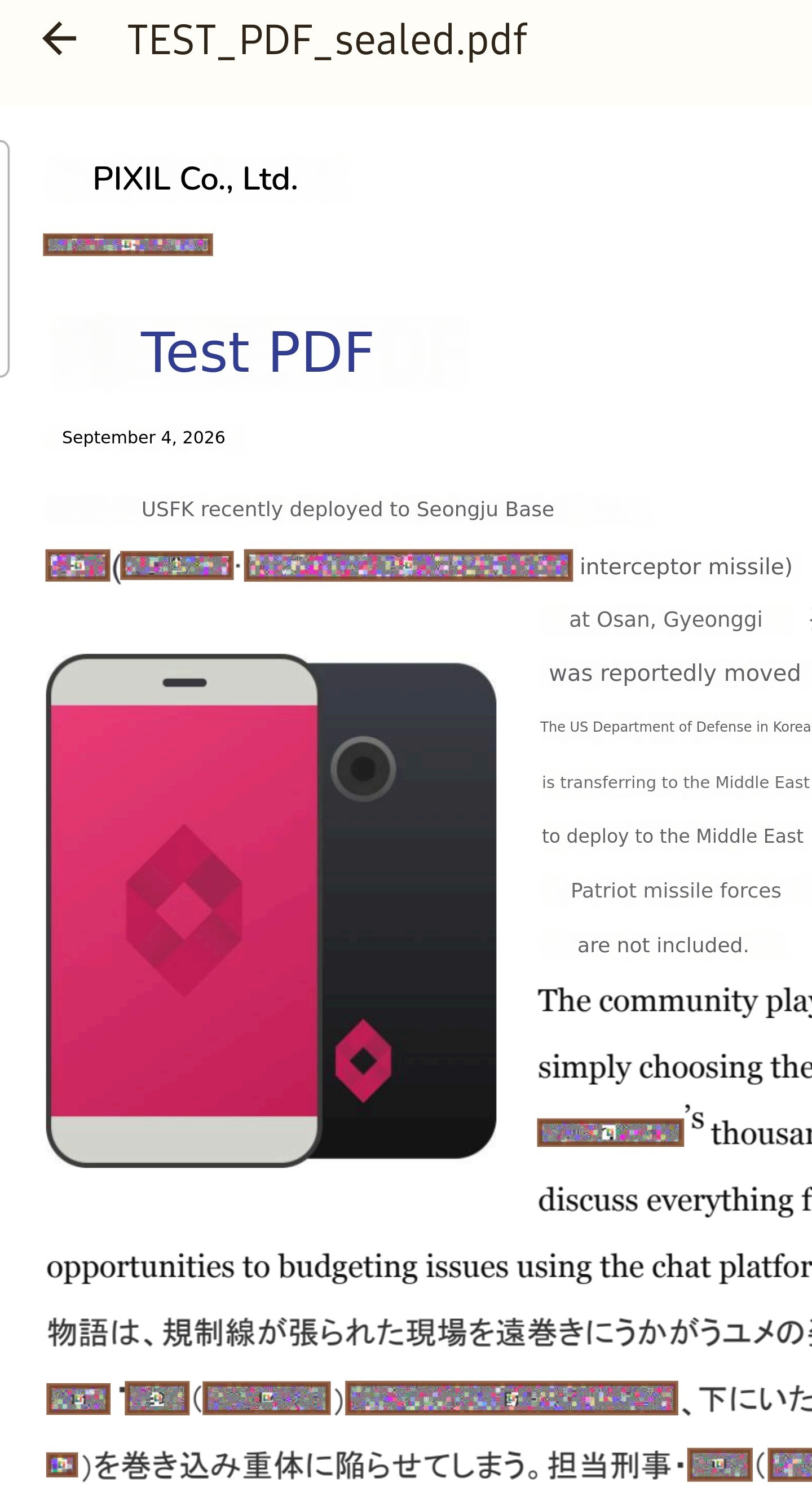 | 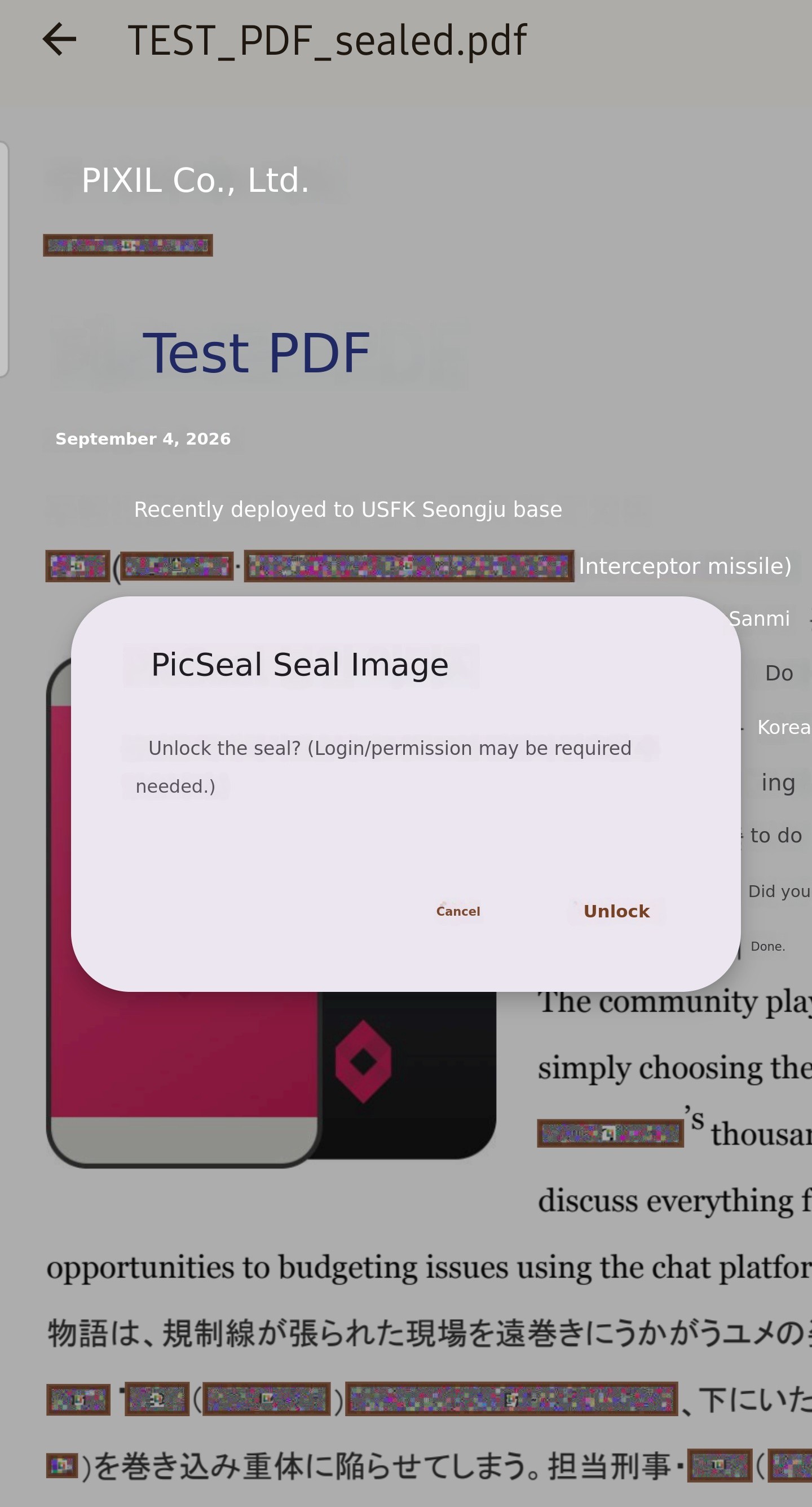 | 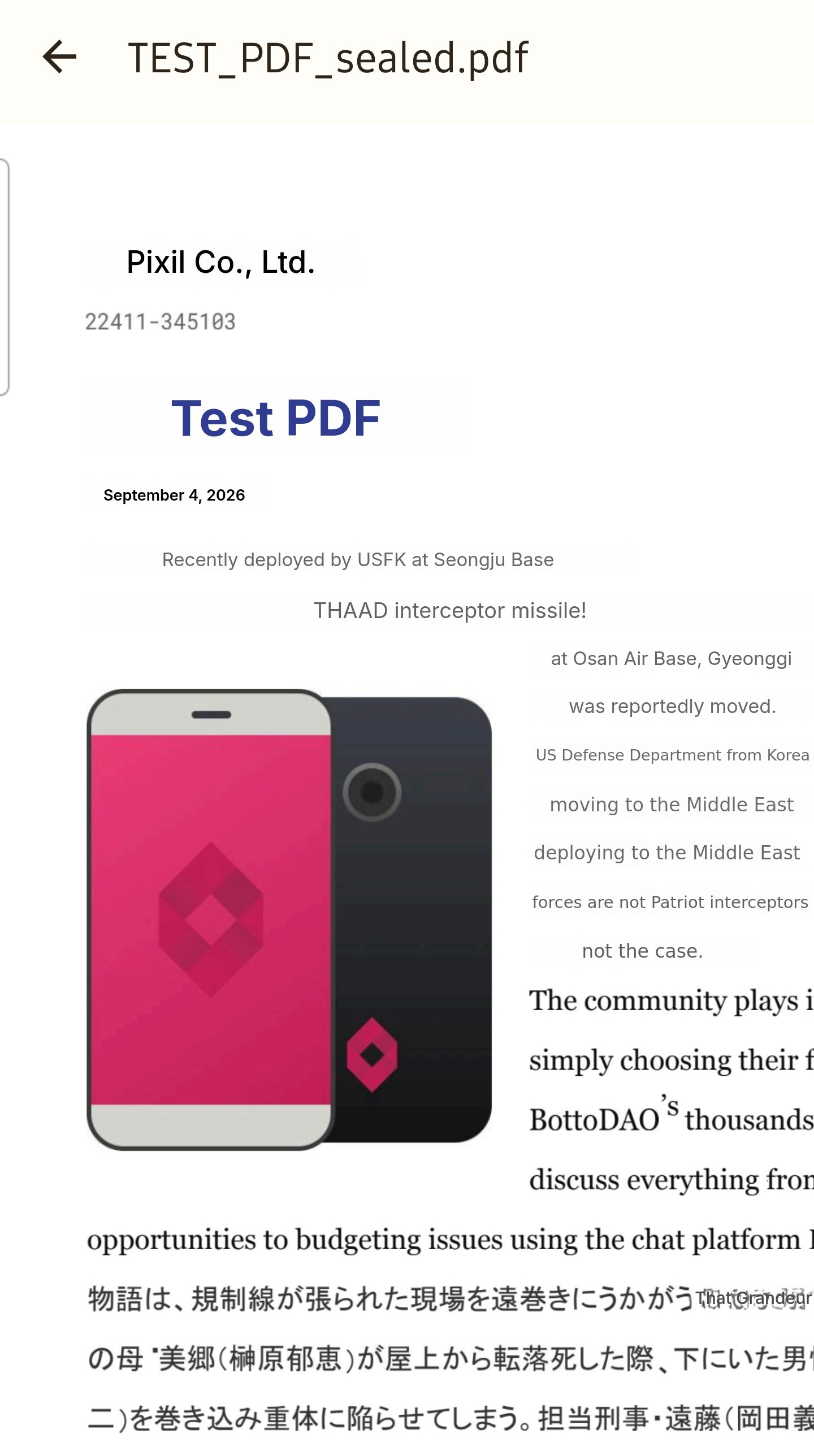 |
| Existing Redaction function (redact) is different. 1. When sealed, the original text and images are deleted from the PDF and replaced with sealed images. 2. When released, the content can be viewed. (Release is limited by the owner'sViewing conditions (time, period, location, number of views, whether saving is allowed, group, etc.) must be satisfied. | ||
🚀 It is not difficult to use.
- PicSeal PDF Reader is provided free of charge.
- It can be applied directly on the web.
- When you first sign up, you receive 20MB (processing capacity), so you can also test it.
- Hop pagehttp://picseal.com/
👉 You can try it out without any burden and decide for yourself.
📌 To summarize just one important point,
The current structure is
If it is a "structure that ends at the point of sale"
PicSeal is
A "structure that continues even after the sale."
Through the following example,The entire cycle from PDF preparation, creation, distribution, viewing, to expiration, Let's take a look.
[From paid PDF sales to management]
📄 Content preparation
Prepare the PDF document to be sold. This is the general PDF creation stage, such as reports, lecture materials, or manuals.
🔒 Lock paid sections
Select and lock only the necessary parts among pages, images, or specific sections.
⚙️ Set viewing conditions
Set viewing conditions such as subscribers, period, number of times, or groups.
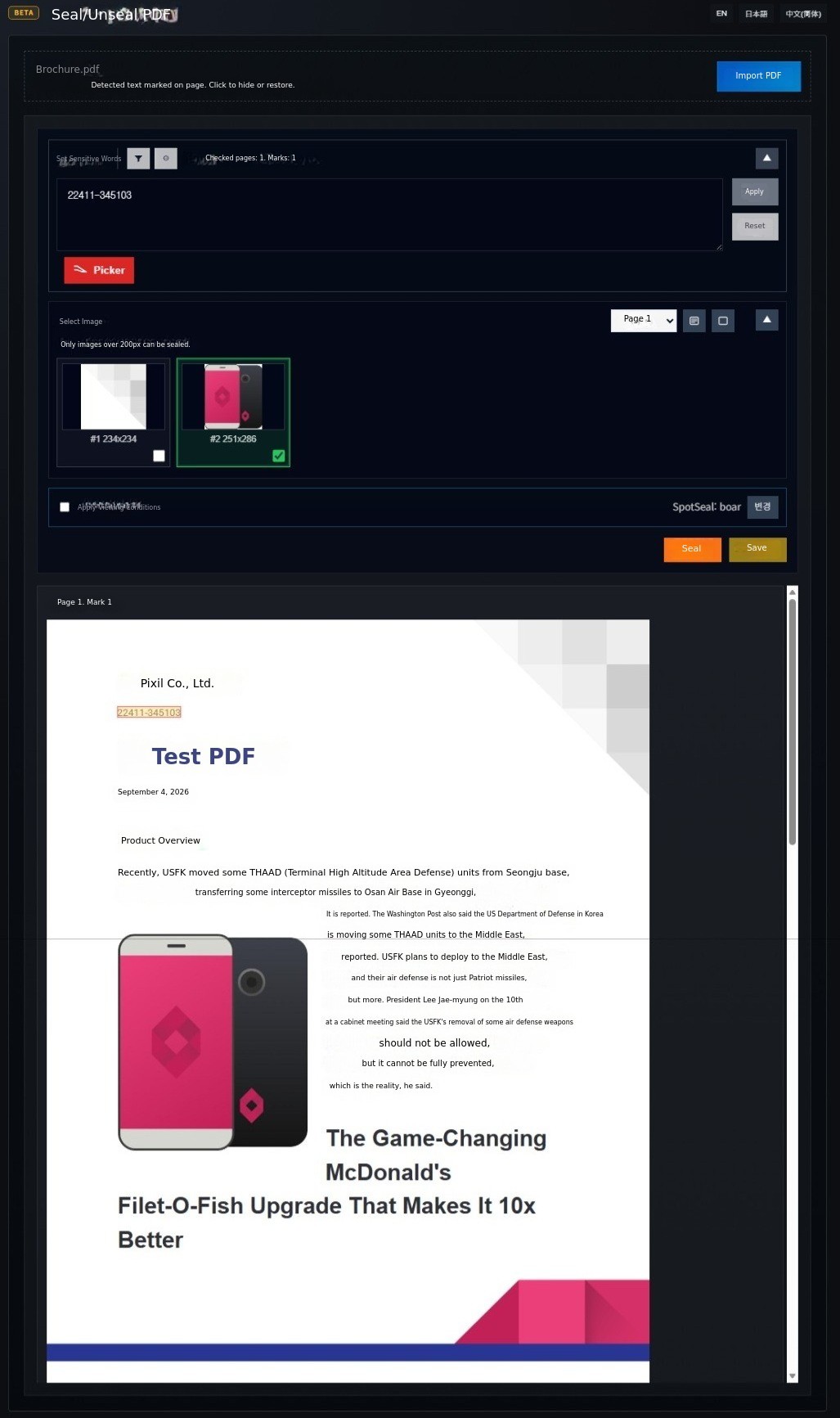
(Provides sensitive word detection functionality. Detects sections suspected to contain personal information or passwords. Automatic detection using AI is also available.
📤Delivery to customer
Download the locked PDF and deliver it to the customer via email, link, or any preferred method.
👁️Customer viewing
Customers can log in to PicSeal PDF Reader or the 'PicSeal App' to view the locked content.
📊Management
Sellers can check viewing records and continue to manage access status afterwards.
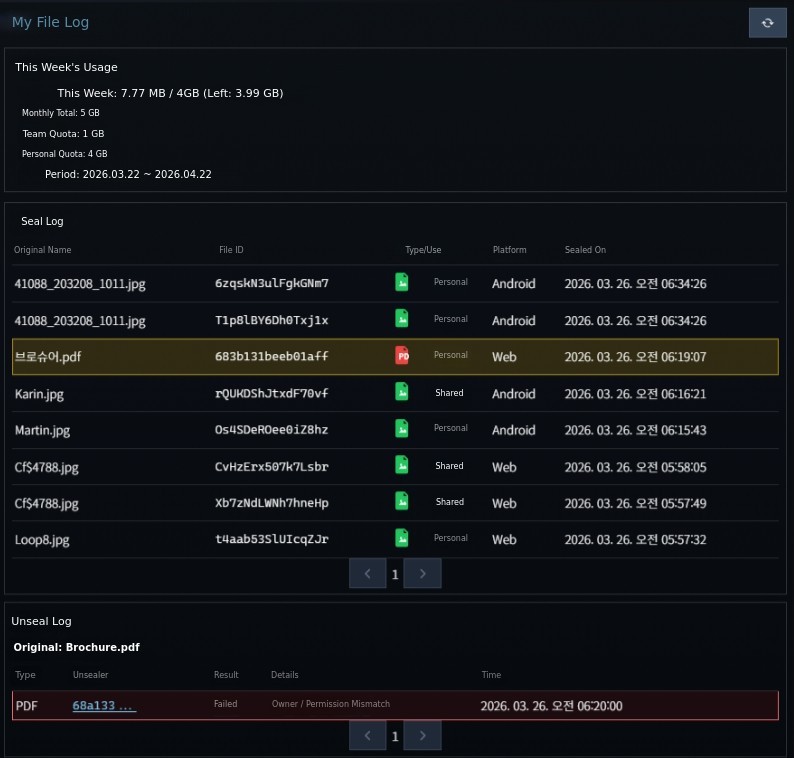
These are PicSeal's products.
Lock · Management | Viewing |
Picseal.com website PicSeal App | Picseal.com website (Paid) PicSeal PDF Reader (Free) PicSeal App (Free · Paid) |
Services provided through the website and dedicated app allow sealing and unsealing, enabling sellers to let subscribers safely view distributed documents using the free PicSeal PDF Reader.
[Business]
We provide dedicated features for businesses conducting commercial activities through PDFs.
Multi-environment integration and automation.
The same policy flow can be applied across web, app, CLI, and server environments. You can seamlessly integrate with existing systems and protection policies through API, SDK, and AI integration. | |
PicSeal dedicated PDF viewer. (Android) | The PicSeal app-based viewer is provided for free and supports login and policy-based viewing. ※ PDF distributors can create groups and designate recipients, allowing only specified users to view. ※ If distributed for sharing without restrictions, anyone can view it for free. |
White-label PDF reader. | A PDF viewer customizable with the client's brand (can be registered on the app store). |
SDK / AAR | ※ Development kit for app/service integration. ※ Contract for one year or more, billed separately. |
This allows companies tocontrol viewing even after creating and distributing files without expensive DRM solutions, andmanage tracking, retrieval, and expiration, which is difficult to implement with DRM's central server-based access control.Achieve both "fine-grained object-level control" and "partial disclosure and conditional control." You can do it.
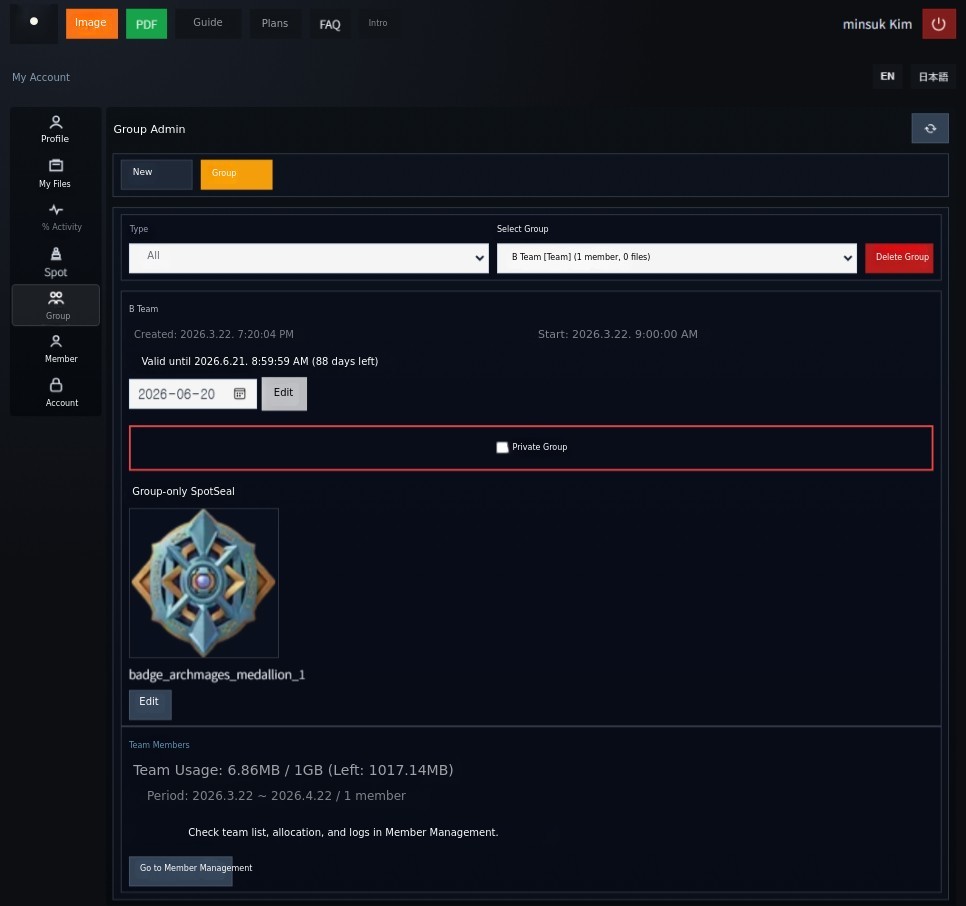
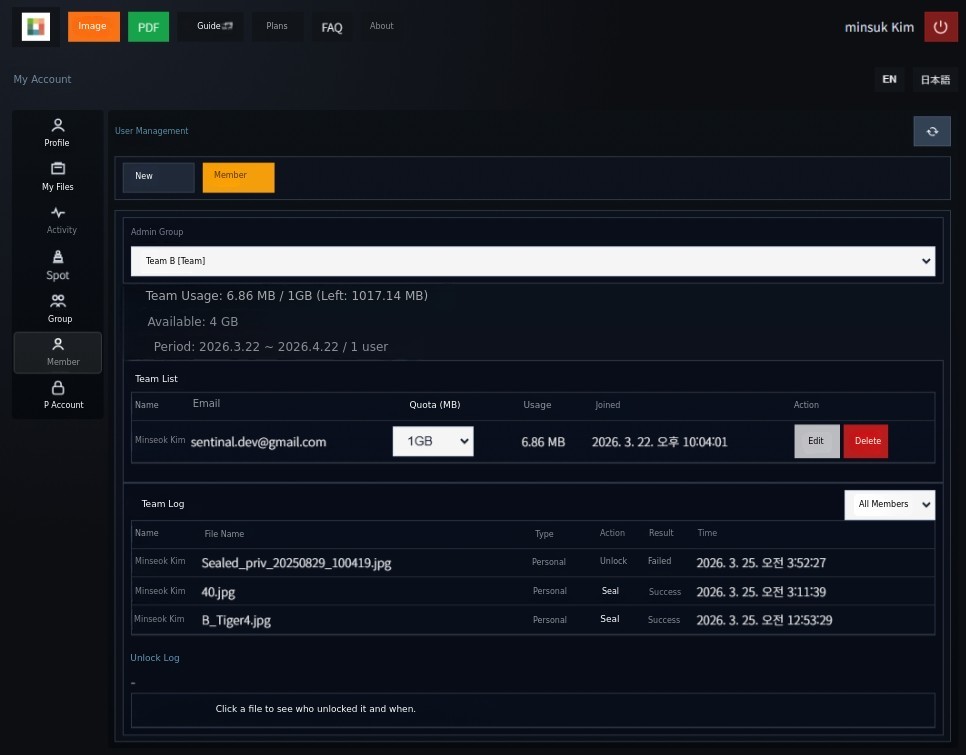
※ PicSeal web service (https://picseal.com/) is currently available in beta version, and new users are provided with a trial 20MB processing capacity.
※ PicSeal APP (for Android) is being updated with management features added to the existing product, and is scheduled for release in May.
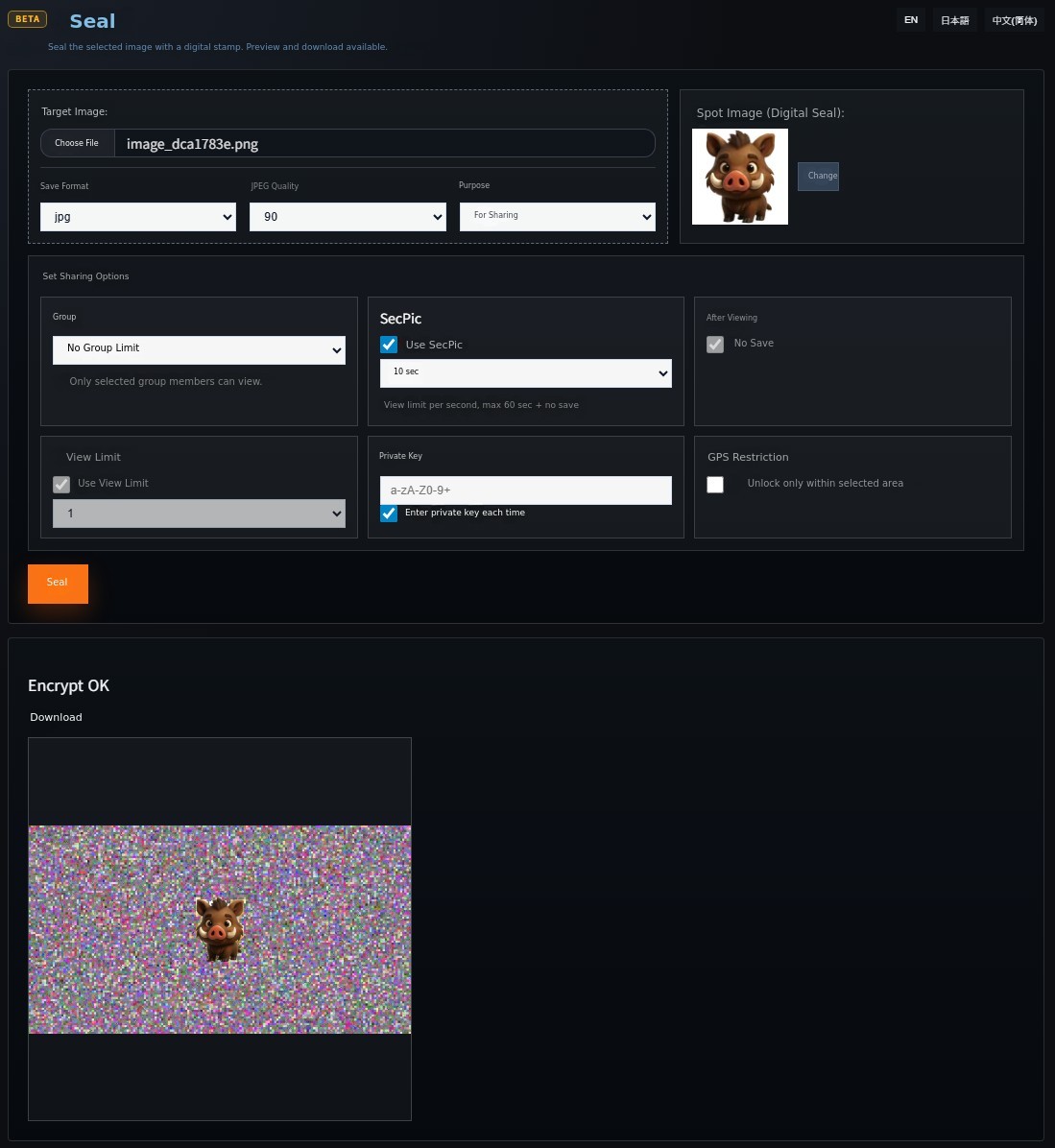
Image files can also be protected in the same way.
PicSeal supports individual sealing and condition-based viewing control not only for PDFs but also for image files.
Below is an example of the image sealing process.
PicSeal PDF Reader (Download now from Samsung App Store. Free)
PicSeal PDF Reader (A free reader that can open both regular PDFs and PDFs protected by PicSeal)
 Hello, this is Minseok Kim. I am developing PicSeal. While creating and delivering documents is easy, I created this service to solve the problem that nothing can be controlled after delivery.
Once a PDF is delivered, it is difficult to prevent duplication, redistribution, or unauthorized use, and in reality, it is impossible to continuously manage content when selling or distributing it.
I determined that this issue goes beyond a simple security problem and actually affects the value of the content and the business model itself.
PicSeal is designed not just to lock documents, but to apply protection at the object level within the document and include viewing conditions so that access can be controlled even after delivery.
We have continuously developed and tested to create a structure that can be applied in real usage environments.
Through this Wadiz project,
we want to see how actual users utilize this service,
This is to verify the product's direction and completeness in realistic usage environments.
We aim to improve the service based on the experiences and feedback of early users,
Our goal is to establish a document protection and management structure that can be practically used by everyone from individual creators to companies.
Currently, PicSeal has released a web service beta, and dedicated PDF Reader and app are also being prepared for sequential launch.